




I still remember the first Kafka Streams application I wrote. Not because it’s precious to me, but because the people who take care of the project keep telling me how much they “enjoy” working on it. It was a Spring Boot application, but I didn’t use the framework, I just worked with it. Since then, I’ve seen this pattern in many projects. But the good news is, it is possible to make it simple and I want to show you how.
For people who want to skip reading and jump right to the code, the source code used in this blog can be found here.
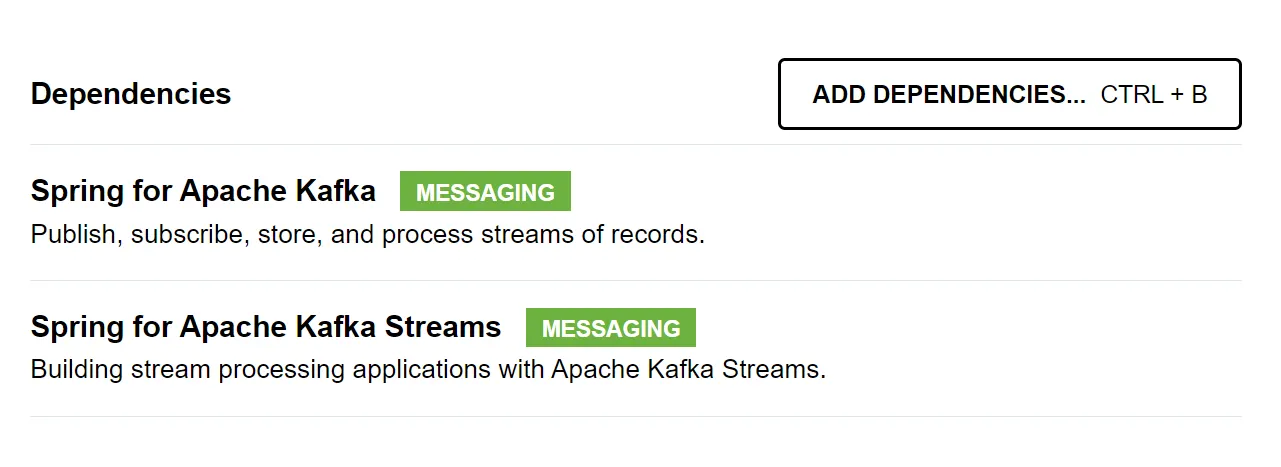
Start.spring.io
These are the only dependencies required to implement a Kafka Stream.
I have also included the web and actuator dependencies in the demo project to enable a long-running application.
Components
KafkaStreamsDefaultConfiguration. DEFAULT_STREAMS_CONFIG_BEAN_NAME
To autoconfigure a StreamsBuilder component inside of the Spring Boot context, we need to tell Spring Boot how to connect to kafka, and that’s done through the KafkaStreamsConfiguration bean alongside the KafkaProperties.
Let’s start with the application yaml:
spring:
kafka:
bootstrap-servers: ${KAFKA_BOOTSTRAP_SERVER}
streams:
application-id: kafka-streams-demo
auto.offset.reset: earliest
properties:
processing.guarantee: exactly_once_v2
properties:
# kafka auth
sasl.mechanism: PLAIN
sasl.jaas.config: org.apache.kafka.common.security.plain.PlainLoginModule required username='${KAFKA_USERNAME}' password='${KAFKA_PASSWORD}';
security.protocol: SASL_SSL
KafkaProperties maps to the spring.kafka prefix, and when building the stream properties, it will join the values in spring.kafka.streams with spring.kafka.properties into a map. That map can then be used to instantiate the KafkaStreamsConfiguration.
@Bean(KafkaStreamsDefaultConfiguration.DEFAULT_STREAMS_CONFIG_BEAN_NAME)
public KafkaStreamsConfiguration kStreamsConfig(
KafkaProperties kafkaProperties,
ObjectProvider<SslBundles> sslBundles) {
var properties = new HashMap<String, Object>();
properties.putAll(kafkaProperties.buildStreamsProperties(sslBundles. getIfAvailable()));
return new KafkaStreamsConfiguration(properties);
}
With just this configuration, we can start building our stream:
@Component
public class StreamTopology {
@Autowired
public void configure(StreamsBuilder builder) {
builder.stream("input")
// and so on
}
}
StreamsBuilderFactoryBeanConfigurer
The StreamsBuilderFactoryBeanConfigurer component in Spring Boot is used to customize the configuration of StreamsBuilderFactoryBean, which is a key component in Kafka Streams applications.
This component allows you to fine-tune and configure various aspects of your Kafka Streams application, such as setting up custom properties, interceptors, and error handling strategies.
Here are some examples of how to use it:
@Bean
StreamsBuilderFactoryBeanConfigurer streamsBuilderFactoryBeanConfigurer(ApplicationContext ctx) {
return factoryBean -> {
// exception handler
factoryBean.setStreamsUncaughtExceptionHandler(ex -> {
if(ex instanceof RecoverableException) {
return REPLACE_THREAD;
}
return SHUTDOWN_CLIENT;
});
// state listener
factoryBean.setStateListener((oldState, newState) -> {
if(newState == ERROR) {
SpringApplication.exit(ctx);
System.exit(1);
}
});
};
}
Avro Serializer/deserializer (Serde)
Projects often require governance of data or compact and efficient data serialization. That’s when serialization systems such as Apache Avro come in handy. Setting up Serdes for this can be facilitated by using the KafkaProperties supplied by Spring Boot.
private final KafkaProperties kafkaProperties;
private final ObjectProvider<SslBundles> sslBundles;
@Override
public GenericAvroSerde genericAvroSerde(boolean isKey) {
var serde = new GenericAvroSerde();
serde.configure(kafkaProperties.buildStreamsProperties(sslBundles.getIfAvailable()), isKey);
return serde;
}
The application’s YAML file needs connection information to use the Avro Serdes with the KafkaProperties:
spring:
kafka:
properties:
# schema registry
schema.registry.url: ${SCHEMA_REGISTRY_URL}
schema.registry.basic.auth.credentials.source: USER_INFO
schema.registry.basic.auth.user.info: "${SCHEMA_REGISTRY_USERNAME}:${SCHEMA_REGISTRY_PASSWORD}"
@TopologyTest
The kafka-streams-test-utils library makes testing Kafka Streams simple and fast with the TopologyTestDriver component.
To avoid repeating boilerplate code and mocking components, we can create a custom annotation that sets up a SpringBootTest that includes all the kafka components.
@Target(ElementType.TYPE)
@Retention(RetentionPolicy.RUNTIME)
@ExtendWith(SpringExtension.class)
@TypeExcludeFilters(TopologyTypeExcludeFilter.class)
@BootstrapWith(TopologyTestContextBootstrapper.class)
@Import(value = {
TopologyTestDriverConfiguration.class, MockAvroSerdeFactory.class })
@ActiveProfiles(value = { "test" })
public @interface TopologyTest {
ComponentScan.Filter[] includeFilters() default {};
ComponentScan.Filter[] excludeFilters() default {};
}
TopologyTypeExcludeFilter
By extending StandardAnnotationCustomizableTypeExcludeFilter, we are able to use ComponentScan.Filter to define what to include or exclude to the Spring context when applying the TopologyTest annotation in a test class.
This way, it’s possible to define what package to include when setting up the SpringBootTest. For this demo project, we are only interested in autowiring a subset of the packages:
~@TopologyTest(
includeFilters = {
@ComponentScan.Filter(type = REGEX, pattern = { "eu.cymo.kafka_streams_demo.adapter.kafka.*" })})
By defining a custom TypeExcludeFilter, a fixed set of classes can be excluded from the spring context as well. For example, we could avoid the AvroSerdeFactory, which would try to connect with an actual SchemaRegistryClient.
TopologyTestDriverConfiguration
A StreamsBuilder is needed for the test context, so it is created here. Then the TopologyTestDriver is defined as a bean, so that it can be used in the unit test.
After the setup is done, a test can be something like this:
@TopologyTest(
includeFilters = {
@ComponentScan.Filter(type = REGEX, pattern = { "eu.cymo.kafka_streams_demo.adapter.kafka.*" })})
class StreamTopologyTest {
@Autowired
private AvroSerdeFactory avroSerdes;
@Autowired
private TopologyTestDriver driver;
@Test
void verifySomeFeature() { }
}
Work with the framework
Spring Boot is a very impressive framework that can handle a lot of complex tasks if we use it well. I often advise junior developers to investigate the source code of Spring Boot to demystify how it works. The more we understand the framework and its inner workings, the more we can leverage it. The same applies to Spring for Apache Kafka: reduce the boilerplate so you can focus on the implementation itself.




